Introduction: AI for Productivity That Actually Helps You Finish
Most productivity advice breaks down the moment your day gets messy: priorities change, meetings run long, tasks multiply, and your “system” becomes a pile of half-done intentions. AI for productivity changes the game by helping you decide what to do next, structure your work, and automate the repetitive parts of your workflow—so you can get more done with AI without adding more complexity.
In this guide, we’ll focus on AI-powered task management and workflows: how an AI productivity assistant can help you capture tasks faster, organize them using an AI task organizer, and implement AI workflow automation that keeps work moving even when your attention is elsewhere. We’ll also show practical best practices and include a quick comparison table so you can evaluate which AI productivity tools fit your style.
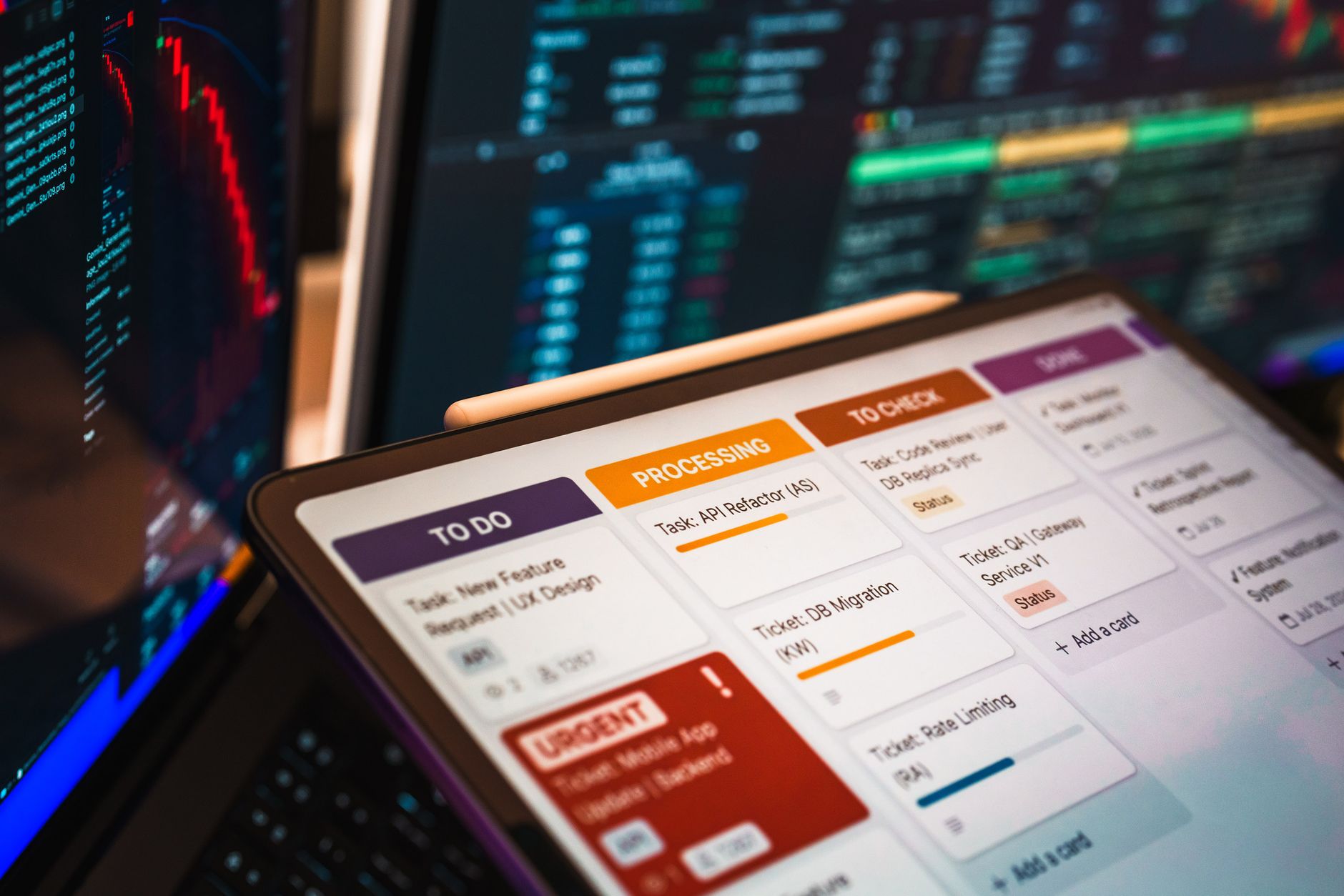
Free access on AIZora: You can explore and start building more effective routines with AI powered productivity features through AIZora’s free access, then scale up as you discover what works for you.
Target outcome: By the end, you’ll know how to use smart task management AI to plan faster, reduce context switching, and automate workflows with AI—so you finish more high-impact work.
What “AI for Productivity” Really Means (Beyond Hype)
When people say “AI productivity,” they often mean chatbots. But real productivity is execution: planning, prioritizing, delegating, tracking, and improving. AI for productivity typically supports four stages of work:
- Capture: Turn raw inputs (notes, messages, ideas) into actionable tasks.
- Organize: Classify tasks by context, urgency, project, and effort—an AI task organizer approach.
- Automate: Use AI workflow automation to trigger reminders, drafts, handoffs, and follow-ups.
- Improve: Detect bottlenecks, highlight overdue work, and suggest next steps based on your patterns.
The key difference between traditional to-do lists and AI productivity tools is decision support. Instead of you manually sorting and re-sorting tasks, the system helps recommend structure and next actions. That’s how you get more done with AI—not by doing everything for you, but by reducing friction and indecision.
AI Task Management: How AI Turns Your Day into a Plan
AI task management is where productivity gains become tangible. A good AI productivity assistant can reduce the mental overhead of keeping track of everything by helping you keep tasks:
- Small and specific: Convert vague intentions (“work on proposal”) into clear steps (“outline sections,” “draft intro,” “collect data”).
- Context-aware: Suggest tasks based on what you’re doing right now (writing vs. meetings vs. deep work).
- Prioritized automatically: Re-rank work when deadlines approach, when tasks depend on others, or when new information arrives.
- Aligned to projects: Keep tasks tied to outcomes, so you don’t drift into busywork.
Think of it as smart task management AI that helps you answer three daily questions quickly:
- What’s the next best action?
- What should I ignore (for now)?
- What’s likely to block me later?
These recommendations help you reduce context switching and spend more time in the work that moves goals forward.

AI Workflow Automation: Save Time on the Repetitive Stuff
Automation is the fastest route to higher throughput. AI workflow automation helps you eliminate recurring manual steps—such as updating statuses, generating follow-up messages, routing requests, or creating task drafts from incoming communication.
Here are practical ways AI can automate workflows in a team or personal setup:
- Meeting-to-tasks: Convert meeting notes into action items and owners.
- Follow-up reminders: Trigger reminders based on due dates, dependencies, or response gaps.
- Draft generation: Create first-pass emails, summaries, or doc outlines that you refine.
- Status updates: Automatically request updates when tasks stall or when timelines shift.
- Project templates: Reuse proven sequences for recurring projects (launches, onboarding, reporting).
Automation doesn’t mean “set it and forget it.” The best approach is guided automation: let AI handle the first draft and the routing, while you keep the final decision-making. This is how AI powered productivity stays aligned with your priorities rather than running on autopilot.
Pro tip: Start with one workflow you do every week (e.g., meeting notes → tasks → follow-ups). Once it’s reliable, expand to the next workflow.
AI Work Efficiency Tools: Build a System for Focus and Momentum
Productivity isn’t just output—it’s focus, clarity, and momentum. The most effective AI work efficiency tools help you:
- Plan your day with less effort: Generate a daily focus list based on deadlines and available time.
- Reduce decision fatigue: Recommend what to do next so you don’t burn time choosing.
- Maintain flow: Highlight tasks that are “ready to start,” not just tasks you haven’t touched yet.
- Track progress automatically: Summarize what’s done, what’s blocked, and what changed since yesterday.
To put it simply, an AI productivity assistant can act like a calm operations layer that keeps work moving—so you spend your energy on creative, strategic, and high-leverage tasks.
Choosing the Right AI Productivity Tools (A Practical Comparison)
Not all AI productivity tools are built the same. Some focus on writing and summarization; others focus on task organization and workflow automation. When evaluating options, look for capabilities that map to how you work—especially if you want get more done with AI rather than “more AI features.”
| Use Case | What to Look For | Why It Matters for AI Productivity | Best For |
|---|---|---|---|
| Task capture & organization | AI task organizer for auto-structuring tasks, categories, and projects | Fewer manual steps to keep tasks actionable | Busy individuals, teams with high inbound volume |
| Prioritization & next actions | Smart task management AI that suggests what to do next | Less decision fatigue and better daily focus | People managing many priorities |
| Workflow automation | AI workflow automation for triggers (due dates, status changes, dependencies) | Time saved on repetitive follow-ups and routing | Teams with recurring processes |
| Collaboration | Assignments, handoffs, and status tracking connected to tasks | Clear ownership reduces stalled work | Cross-functional projects |
| Continuous improvement | Insights on bottlenecks and pattern-based suggestions | Helps you get better over time, not just faster today | Anyone running ongoing projects |
Best Practices: How to Use AI to Automate Workflows with AI (Without Losing Control)
To truly use AI powered productivity effectively, you need a strategy. Here’s a set of best practices that keep AI helpful, not distracting.
1) Define your “task quality” rules
Before relying on AI task management, set standards for what counts as a good task. For example:
- Includes an outcome (“Draft agenda for…”)
- Has a clear next action (“Create bullet outline”)
- Notes dependencies (“Needs approval from…”)
2) Automate the handoffs, not your judgment
Use AI workflow automation to move work forward—assign tasks, schedule reminders, generate drafts—while you stay responsible for decisions. This keeps the system aligned with your goals and values.
3) Use a daily review loop (5–10 minutes)
Even with AI, you want a lightweight check to confirm priorities and adjust for reality. A simple routine:
- Review what’s due today.
- Check blocked tasks and dependencies.
- Pick your top 1–3 outcomes for deep work.
- Let the AI productivity assistant update the task list accordingly.
4) Reduce tool sprawl by centralizing tasks
AI works best when it has a clean view of your work. Choose one place for tasks and workflow status so you don’t lose context across apps. Centralization makes smart task management AI more accurate.
5) Start with one “high friction” workflow
Pick a process that feels annoying or repetitive—then automate it first. Great starters:
- Inbox → categorized tasks
- Meeting notes → action items
- Project kickoff → checklist and timeline
6) Measure time saved, not just usage
Track outcomes: fewer overdue tasks, faster follow-ups, fewer missed details. If your AI helps you get more done with AI, you’ll see it in reduced rework and improved follow-through.
How AIZora Supports AI Productivity (Free Access to Get Started)
If you want to experience AI for productivity right away, AIZora is a practical entry point. With free access on AIZora, you can begin building a workflow that turns inputs into structured tasks and uses AI to streamline your day.
Use AIZora to:
- Organize tasks into clearer structures so you can act faster (AI task organizer style).
- Apply automation ideas to reduce repetitive steps (automate workflows with AI).
- Improve daily planning by leveraging AI suggestions for what matters most (smart task management AI).
Whether you’re managing personal goals, a content calendar, or team deliverables, the goal is the same: AI powered productivity should help you move from planning to execution with less effort.
Conclusion: Get More Done with AI—One Workflow at a Time
AI for productivity works best when it’s grounded in real execution: capturing tasks, organizing them, automating the repetitive parts, and improving your process over time. With AI task management and AI workflow automation, you can reduce friction, prioritize better, and create systems that make it easier to get more done with AI.
Start simple: choose one workflow, define what “good tasks” look like, and let AI workflow automation handle the routing and drafting while you maintain judgment. As you iterate, you’ll build genuine leverage—more focus, fewer missed follow-ups, and smoother momentum.
Finally, if you want to try it now, take advantage of free access on AIZora to explore how AI productivity assistant features can help you build an AI powered productivity system that fits your work style.