If you’re searching for the best ai for interior design, the fastest path is using an AI room design generator that turns your style ideas into usable layouts, visuals, and shopping-ready recommendations. In this guide, I’ll recommend the AIZora AI Interior Design Generator—Dream Rooms Designed in Seconds by AI—then show you how to compare it with other options (including the best free ai interior design apps) and how to get better results right away.

What “Best AI for Interior Design” Really Means (And What to Look For)
Different interior design AI tools solve different problems. Some are great for inspiration (visual concepts), others are better for planning (layout logic), and a few focus on render quality (realistic images). When people ask for the best ai image generator for interior design, they usually want:
- Fast concept generation from prompts (minutes, not days)
- Style control (modern, Scandinavian, Japandi, farmhouse, luxury, etc.)
- Better-than-blurry renderings for decision-making
- Usable outputs (variations, color palettes, actionable design notes)
- Beginner-friendly flow (minimal settings, clear steps)
If you want an all-in-one workflow, look for tools that accept your taste inputs (room type, vibe, colors, materials) and return multiple directions so you can iterate quickly.
My Top Pick: AIZora’s AI Interior Design Generator (Dream Rooms Designed in Seconds by AI)
For many users, the best ai for interior design experience comes from an AI tool that’s both fast and practical. That’s exactly where AIZora’s “AI Interior Design Generator” stands out: you provide your room details and aesthetic preferences, and the AI generates strong design concepts in seconds—perfect when you’re trying to move from “I know what I like” to “I can actually picture the room.”
Importantly, AIZora offers free access, making it a strong candidate when you’re looking for best interior design ai apps free or asking best free ai interior design questions. Even if you eventually upgrade for more generations or higher-resolution outputs, you can start experimenting immediately.
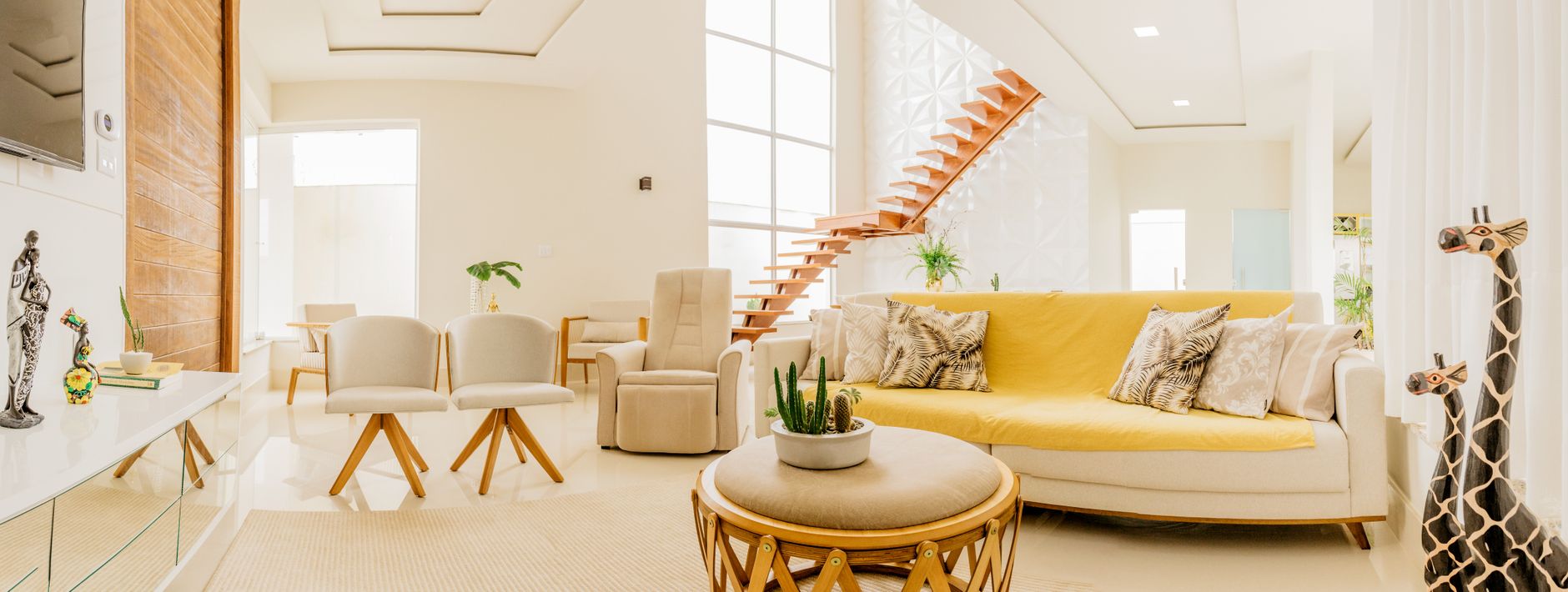
What makes AIZora especially helpful for real decisions?
- Room-ready visual concepts: get inspiration you can act on (rather than abstract mood boards only).
- Easy iteration: generate multiple variations—swap styles, colors, or decor themes without starting over.
- Beginner-friendly prompts: you don’t need architectural jargon to get meaningful results.
- Great for beginners: if you’re asking “best ai for interior design for beginners,” this workflow is one of the least intimidating.
- Free access: test your style and learn what prompts work before committing.
Best Free AI Interior Design Apps (And How to Choose the Right One)
People frequently search for best free ai interior design apps, the best free ai interior design app, and the best free ai interior design tools because they want to try before paying. The reality: free tools are excellent for ideation, but paid tools may offer higher fidelity, more generations, or better control.
Here’s a practical way to choose among the best free interior design ai app options:
- Start with your goal: Do you need concept art, or do you need something closer to a render you can commit to?
- Check style control: ability to specify “modern,” “Scandinavian,” “warm minimal,” etc.
- Look for variations: can it generate multiple looks from the same room idea?
- Confirm usability: does the output help you decide on layout, lighting, and decor, or is it only inspirational?
- Evaluate cost later: use the free access phase to learn your taste and build a shortlist.
In particular, if you’re searching for best interior design ai apps free or best ai home interior design app, try to select one tool for ideation and keep your output consistent so you can compare directions cleanly.
| Tool type | Best for | Key feature to look for | What to expect |
|---|---|---|---|
| AI room concept generator (like AIZora) | Fast redesign ideas | Prompt-to-visual room variations | Quick inspirations + style iterations; often includes free access |
| AI image generator for interior design | Mood visuals & styling directions | Strong render aesthetics | Great images; may require more manual translation into actionable decor |
| AI decorating app | Shopping-friendly suggestions | Recommendations tied to style goals | Helpful for choosing items, but results vary by input quality |
| AR/3D room planners | Layout planning & measurement workflows | Spatial accuracy | Better planning for layouts; may be less “dreamy” than render tools |
Best AI for Interior Design Renderings: How to Get Cleaner, More Realistic Results
If you’re looking for best ai for interior design renderings (or best ai for interior design renderings style results), you’ll want to learn how to prompt effectively. Most people get generic outputs because their prompts are too vague. Use this checklist to improve realism and coherence:
- Specify the room type: living room, bedroom, kitchen, bathroom, entryway.
- Add a lighting cue: natural daylight, warm evening lighting, soft ambient glow.
- Choose 2–3 material anchors: oak wood, brushed brass, matte black, linen upholstery, marble-look tile.
- State the vibe: cozy, airy, luxury minimal, warm modern, Scandinavian calm.
- Include a color direction: neutral palette with warm accents, monochrome with texture, earth tones.
- Ask for consistency: “coherent styling throughout,” “matching materials,” “cohesive decor set.”
Pro tip: generate multiple variations, then keep the best elements from each direction—this is where the best AI workflow beats one-shot inspiration.
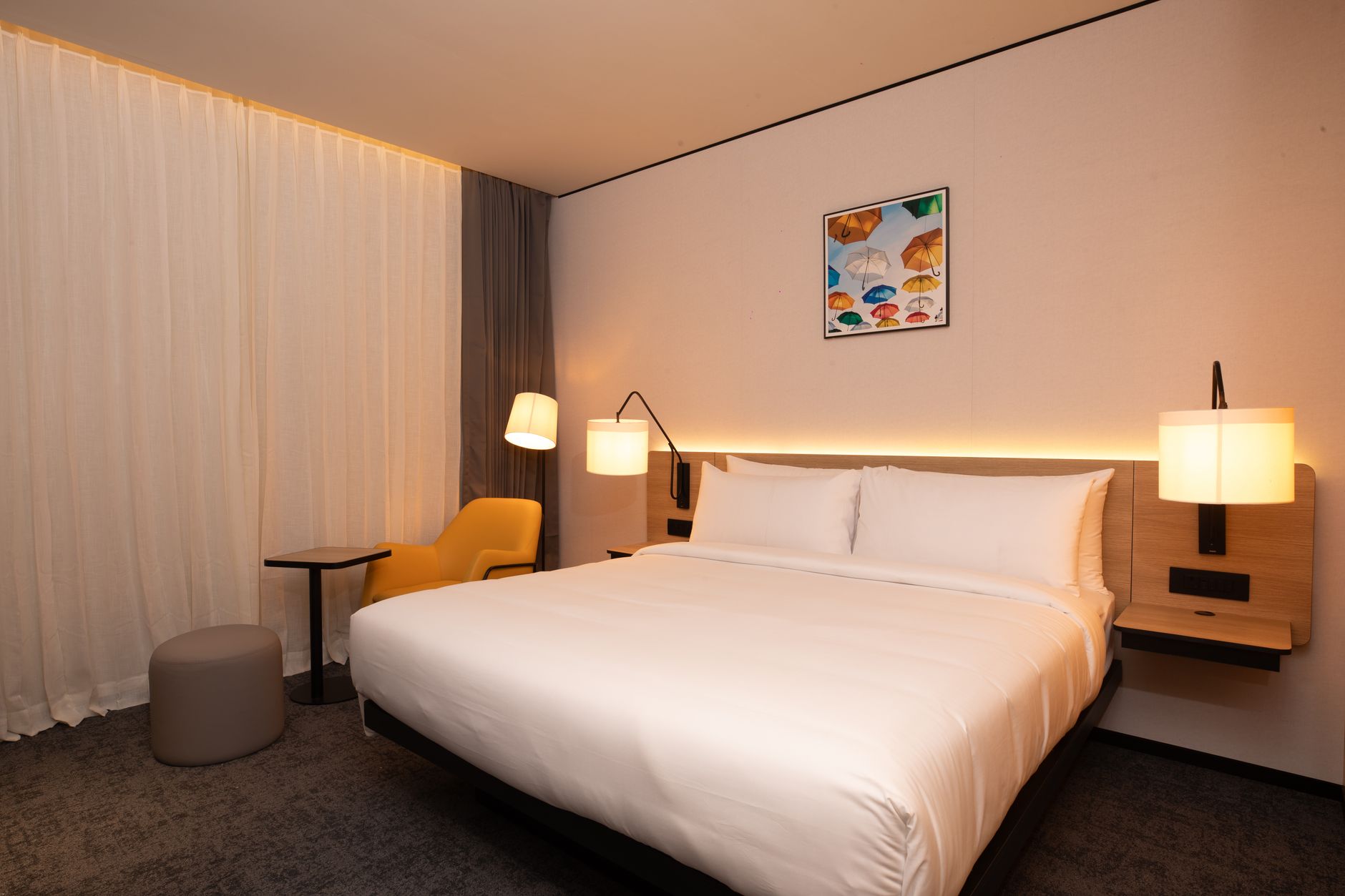
Prompt templates you can copy
- Cozy modern living room: “Create a cozy modern living room with warm neutral walls, light oak furniture, soft linen textiles, and warm ambient lighting. Include a minimal rug and balanced decor.”
- Luxury minimal bedroom: “Design a luxury minimal bedroom with a tailored upholstered bed, matte black accents, warm indirect lighting, and neutral layered textures. Cohesive and realistic.”
- Family-friendly functional space: “Design a family-friendly living room that feels clean and inviting: durable fabric, easy-care materials, organized storage, and warm natural light.”
Answers to Common Related Questions
Searchers often bundle several queries under one umbrella. Below are direct answers to the most common related questions people ask when comparing tools like best ai image generator for interior design and best ai home interior design app options.
What is a free website for room design?
A “free website for room design” is typically an online tool (web app) that lets you generate room visuals or plan layouts without installing software. Many offer limited free credits and then move to a subscription or pay-per-generation model. If you want the quickest start, look for a tool with free access (AIZora includes free access) so you can test your prompts before paying.
What is the 3-5-7 rule in interior design?
The 3-5-7 rule is a popular styling guideline for color harmony and balance. A common interpretation is:
- 3 main elements (like a base color + two key accent directions)
- 5 supporting elements (secondary colors/materials)
- 7 smaller details (textures, decor pieces, hardware accents)
In practice: choose a small, consistent palette and repeat materials across the room so the AI output feels intentional rather than randomly styled.
How much does RoomGPT cost per month?
RoomGPT pricing can change depending on the plan and region. If you’re comparing it to other solutions, treat pricing as “subscription variable” and focus on what you get (generations, resolution quality, and output limits). If you want predictable budgeting, start free where available, then decide after you’ve tested your room types.
Which home design AI is best?
“Best” depends on your use case: concept generation, rendering quality, layout planning, or shopping recommendations. If your priority is creating multiple stylish room visions quickly, AI generators like AIZora are often the best fit. If your priority is layout accuracy and measurements, you may prefer a 3D planner. For best ai for interior design as an all-purpose tool, start with an AI generator and iterate your favorite directions.
Best ai for interior design free | AI interior design free
For free options, the best approach is to use tools that offer free access or a limited number of free generations. Look specifically for best interior design ai apps free and best free interior design ai app options, then compare results using the same prompt so you can judge quality fairly.
Best ai for interior design for beginners
Beginner-friendly tools typically:
- Let you start by selecting room type + style (no technical settings)
- Show examples or provide prompt guidance
- Generate multiple variations so you can learn what works
- Offer a way to iterate without losing progress
AIZora’s generator is a strong option here because it’s fast to use and offers free access so beginners can experiment safely.
Best AI for interior design Reddit | Best AI app for interior design
On forums like Reddit, you’ll see lots of opinions, but themes repeat: users want realistic images, good style control, and outputs that don’t require advanced editing. If you’re reading threads for “best AI app for interior design,” treat them as perspective—not a definitive ranking—and always test by generating the same kind of room you’re designing.
Free AI decorating app
A free AI decorating app usually focuses on styling suggestions: decor pairings, color palettes, and sometimes product-like recommendations. For best results, combine a decorating app concept with an AI generator’s visuals—so you’re not only choosing items, you’re also seeing how they fit together in the room.

Best Ai for Interior Design Free: A Step-by-Step Workflow You Can Follow Today
If you’re hunting for best free ai interior design options, don’t just pick the tool—use a workflow. Here’s a simple process that works whether you’re using the best ai for interior design renderings generator, a free interior styling app, or AIZora’s generator.
- Pick one room: start with the room you feel most stuck on (often living rooms or bedrooms).
- Define a single vibe: cozy modern, clean Scandinavian, warm luxury, or earthy minimal.
- List 3 constraints: e.g., keep existing furniture, warm lighting, pet-friendly fabrics.
- Generate 5 variations: don’t stop at the first result.
- Choose “anchors”: identify the best bed/sofa style, the rug direction, and the lighting mood.
- Refine with prompt specificity: materials, finishes, and color palette consistency.
- Turn visuals into a plan: make a checklist of what to buy or replace (and what to leave as-is).
This is especially useful if your goal is best interior design ai app free outcomes, because you’ll maximize the value of limited free generations.
Quick best practices (that improve every AI result)
- Use consistent terminology: pick “warm modern” and stick to it across prompts.
- Specify texture: linen, boucle, matte paint, woven rug, brushed metal—these create realism.
- Ask for cohesion: “cohesive palette,” “matching finishes,” “balanced composition.”
- Generate, then edit your own brief: if the result isn’t right, modify the brief—not just the style.
AIZora vs. Other “Best Free” Options (What You Can Expect)
When comparing best free ai interior design apps and best interior design ai apps free tools, remember that “free” often affects:
- Number of generations you can run
- Output resolution
- Advanced controls like finer styling constraints
AIZora’s approach helps you start immediately because you can access the AI Interior Design Generator with free access. That makes it ideal for experimenting with styles, comparing directions, and finding your “house look” before committing to a final renovation plan.
If you want best ai image generator for interior design results, your best strategy is to use one tool consistently, learn which prompt variables matter, and only then move to a second tool if you need a specialized feature (like layout measurement or product shopping links).
FAQ: Best AI for Interior Design (Quick Answers)
What is the best AI for interior design renderings?
The best tools combine fast iteration with consistent render quality. AIZora is a strong option for best ai for interior design renderings because it helps you generate coherent room concepts quickly, and includes free access.
Best interior design ai app free vs. paid—what’s the difference?
Free tools are great for exploring styles, while paid tiers often improve resolution, increase generation limits, and add deeper controls. If you’re trying to choose a best ai interior design app free, start with a free workflow and only upgrade once you know what you want.
Best AI for interior design Reddit—how should I use it?
Use Reddit (and similar communities) to learn common pain points—like how realistic the results are and whether outputs are easy to edit. Then validate recommendations with your own room prompt tests.
Is AIZora good for beginners?
Yes. If you’re searching for best ai for interior design for beginners or a best ai home interior design app that doesn’t require technical skills, AIZora’s generator is designed for quick, intuitive use, plus you can start with free access.
Best ai for interior design free: where should I start?
Start by choosing your room type (e.g., living room or bedroom), pick one vibe, and generate multiple variations. If you want a straightforward start, try AIZora’s AI Interior Design Generator using its free access, then refine your prompts until the results match your taste.
What is the best free ai interior design app for me?
If your priority is visual inspiration and quick iterations, choose a room concept generator. If your priority is shopping and decor suggestions, choose a decorating app. For a balanced first step, AIZora is often a strong pick—especially when searching for best free interior design ai app and best free ai interior design app options.
Conclusion: Choose the Right AI, Then Iterate Until It Feels Like You
The best ai for interior design isn’t just the one that produces the prettiest picture—it’s the one that helps you iterate toward a room you’d actually live in. If you want a fast, beginner-friendly workflow with free access, start with AIZora’s “AI Interior Design Generator” (Dream Rooms Designed in Seconds by AI). From there, use the prompt tips, apply the 3-5-7 rule for cohesion, and keep generating variations until your best ideas become a clear, actionable design plan—whether you’re using best free ai interior design apps or exploring the leading paid options later.
Ready to see your next room direction? Try AIZora’s AI Interior Design Generator and build your dream concept in seconds.