1
Describe your flyer
Type the event or offer, date, time, venue, price, and the vibe you want — for example neon club night, pastel birthday, or bold Black Friday sale.
Create stunning flyers in seconds with our free AI flyer generator. Describe your event, sale, or party and get editable, print-ready flyer designs instantly.
Free AI flyer generator that turns event details into print-ready flyer designs
Describe your flyer (event, offer, date, venue, vibe)
Start with a concept, then make it completely your own.
From that first idea to something you can call your own.
Type the event or offer, date, time, venue, price, and the vibe you want — for example neon club night, pastel birthday, or bold Black Friday sale.
The AI flyer generator composes the headline hierarchy, palette, typography, and imagery into a complete vertical flyer in seconds.
Adjust style words, colours, or text details and regenerate to explore alternative layouts until one feels right.
Save the high-resolution flyer for A4 or Letter printing, or post it directly to Instagram, WhatsApp, Facebook, and event pages.
Your idea, your settings, your next creation.
Let’s createExplore what you can create with AI Flyer Generator.
Generate festive birthday, house party, and celebration flyers with themed colours, confetti, and bold headline lettering from a single sentence.
Produce neon club flyers with line-ups, set times, entry prices, and dress codes that stay readable on dark phone screens.
Create Black Friday, grand opening, and seasonal discount flyers with bold price typography and a clear call to action.
Design fundraiser, bake sale, volunteer drive, and lost-pet flyers with high-contrast, clutter-free layouts anyone can read at a glance.
Make student society, open day, sports day, and PTA meeting flyers that match your school colours and audience.
Generate open-house, salon, cleaning, tutoring, and handyman flyers with feature lists and contact details neatly arranged.
A workspace that helps you get from “what if” to “look at this.”
AI tailored to the task you want to accomplish.
Customize the options available in your workspace.
Turn a clear brief into a useful starting point.
Review your result, refine it, and put it to work.
Give your AI a subject, a goal, and a little direction. Add the details that make it yours.
“Neon club night flyer for 'Pulse Fridays' at Warehouse 9, Friday 14 March, 10pm-4am, DJ Kaiva live, $15 entry, dress code: all black, purple and cyan neon vibe”
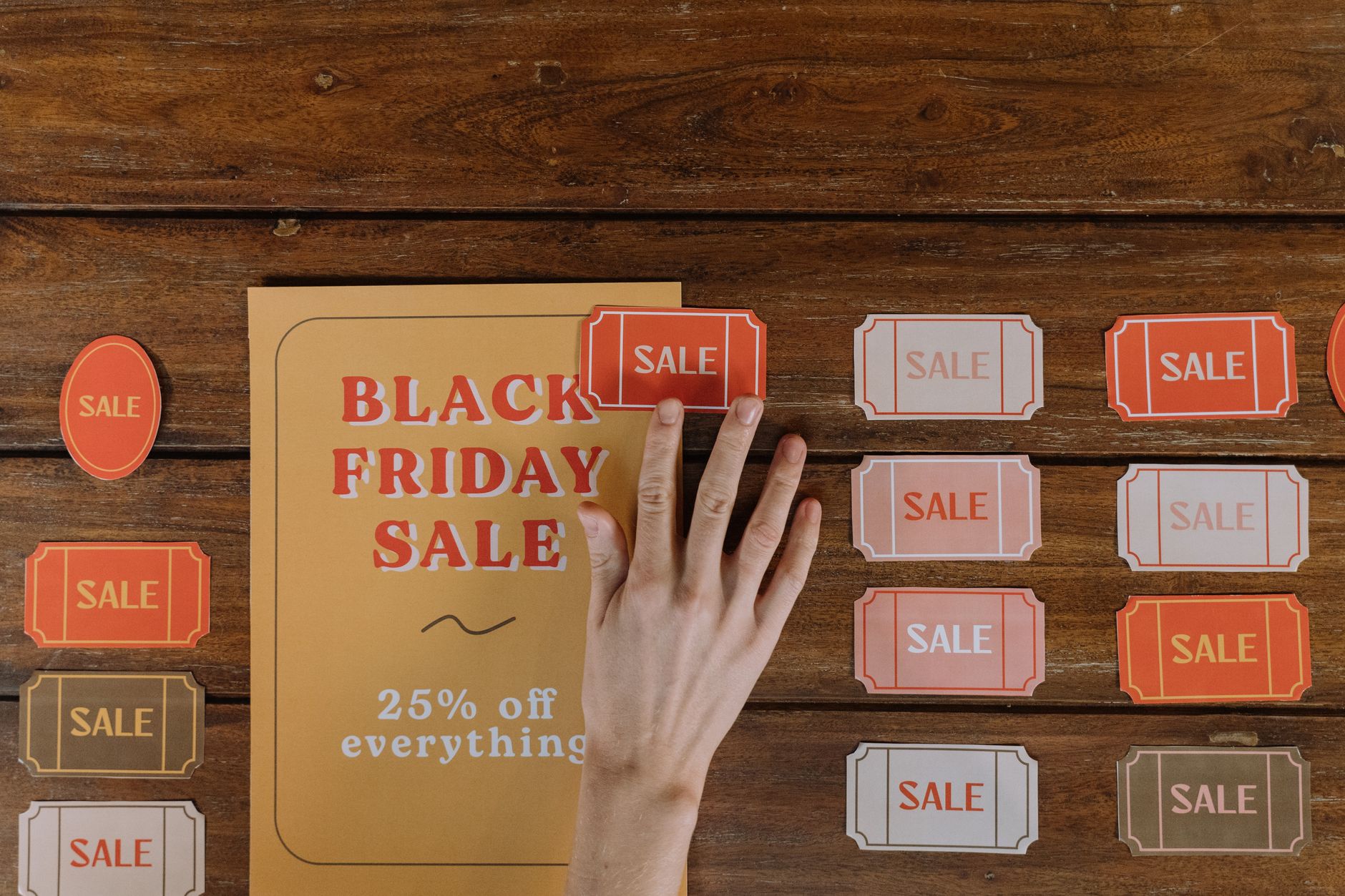
An AI flyer generator is a design tool that turns a plain-text brief into a finished flyer layout. Instead of opening design software, hunting for templates, and manually aligning text boxes, you type what the flyer is for — a club night, a garage sale, a church fundraiser, a birthday party, a real estate open house — and the AI composes the headline hierarchy, colour palette, typography, imagery, and detail block for you.
AIZora's AI flyer generator is built for speed and clarity. It reads your event details, infers the correct visual mood, and produces a high-resolution vertical flyer you can download, print on A4 or Letter paper, or post straight to Instagram Stories. There is no design experience required and no layer panel to learn.
The workflow is deliberately simple: brief in, flyer out. Behind the scenes the model handles three jobs at once — copy layout, art direction, and typography — so the result looks like it came from a designer rather than a template filler.
Birthday bashes, sweet sixteens, house parties, and retirement celebrations. Mention the age, theme, and colour scheme and the AI builds a festive layout with confetti, balloons, or neon script lettering.
DJ line-ups, open-mic nights, rave posters, and live gigs. Include the venue, set times, and entry price for a layout that reads clearly in a dark bar or on a phone screen.
Grand openings, Black Friday discounts, menu specials, salon promotions, and service adverts. Bold price typography and a visible call to action do the selling.
Fundraisers, bake sales, volunteer drives, lost-pet notices, and PTA meetings. These need maximum legibility, so the AI leans on high-contrast, uncluttered layouts.
Property highlights, viewing times, agent contact details, and feature lists arranged in a clean, trustworthy corporate style.
| Capability | AIZora AI Flyer Generator | Template editors | Hiring a designer |
|---|---|---|---|
| Time to first draft | Under 30 seconds | 20-60 minutes | 1-5 days |
| Design skill needed | None | Moderate | None |
| Cost per flyer | Free | Often subscription-gated | $50-$300+ |
| Original artwork | Generated fresh each time | Reused by thousands | Custom |
| Unlimited variations | Yes | Manual rework | Extra fees |
| Print-ready resolution | Yes | Sometimes paywalled | Yes |
| Works from plain text | Yes | No | Via brief |
Small business owners who need a promotion live by tomorrow. Event organisers juggling a dozen flyers for one festival. Teachers and school administrators producing notices on zero budget. Nightlife promoters who post new artwork weekly. Nonprofits and church groups with no in-house designer. Freelancers and social media managers who need client-ready visuals fast.
Many flyer tools lock downloads behind a subscription or stamp a watermark across your artwork. AIZora's AI flyer generator produces clean, high-resolution output designed for both print and social, with no watermark and no design course required. Describe the flyer once, review the draft, refine the prompt, and publish — the whole cycle fits inside a coffee break.
Find the right fit for your creative workflow.
| Feature | AIZora | Piktochart | Canva | Adobe Express |
|---|---|---|---|---|
| Full flyer design from one text prompt | ✓ | ✓ | ✗ | ✗ |
| No monthly AI credit limit | ✓ | ✗ | ✗ | ✗ |
| Watermark-free downloads on free tier | ✓ | ✗ | ✗ | ✗ |
| Works without creating an account | ✓ | ✗ | ✗ | ✗ |
| Original artwork, not shared templates | ✓ | ✗ | ✗ | ✗ |
| Print-safe margins and contrast by default | ✓ | ✓ | ✗ | ✓ |
| Unlimited style variations per brief | ✓ | ✗ | ✓ | ✓ |
| Vertical social-story sizing included | ✓ | ✓ | ✓ | ✓ |
A little less busywork. A lot more possibility.
I run three club nights a month and used to pay a designer for every flyer. Now I type the line-up and the AI flyer generator gives me artwork I can post the same hour.
Our bake sale flyer took two minutes instead of an evening. Printed fifty copies and the text was perfectly crisp.
As a salon owner with zero design skills, this is the first tool that gave me a promo flyer I wasn't embarrassed to put in the window.
Everything you need to get started with AI Flyer Generator.
Still have a question?Write one clear sentence describing the flyer: the event or offer name, date, time, venue, price, and the visual mood you want. Submit it to the AI flyer generator and a complete vertical flyer design is produced in seconds. Tweak the wording and regenerate if you want a different layout or colour direction.
Yes. You can generate flyers with AIZora's AI flyer generator for free, without a watermark stamped across your artwork. There is no design software to buy and no template subscription.
The tool runs entirely in your browser, so you can describe a flyer and see a generated design straight away. Signing in is only useful if you want to keep a history of your generations across devices.
Keep it to five short lines: a bold headline ("Pulse Fridays"), a one-line hook ("Neon warehouse party"), the date and time ("Fri 14 March, 10pm-4am"), the location ("Warehouse 9, Dock Road"), and a call to action ("$15 entry — tickets at the door"). Feed exactly that into the prompt box and the AI handles the layout.
Google Docs and Google Slides can be used to assemble a basic flyer from a blank page or a simple template, but you do all the layout, font pairing, and image sourcing yourself. An AI flyer generator skips that work by producing a finished, art-directed design from a text brief.
You can build one manually in a design editor or word processor: set an A4 vertical page, place a large headline, add a supporting image, align the detail block at the bottom, and keep margins even. It typically takes 30-60 minutes per flyer versus under a minute with AI.
Yes. Mention the age, name, theme, and colour palette — for example "pastel pink and gold 30th birthday flyer for Mia, Saturday 8pm, rooftop bar" — and the AI birthday flyer generator builds a festive layout with matching decorative elements.
Yes. Output is generated at high resolution with safe margins and strong contrast, so flyers hold up when printed on A4 or Letter paper, pinned to a noticeboard, or handed out in person — and they also read well as a social media thumbnail.
Bring it to life with AI Flyer Generator. Free to get started.