Describe your skeleton video scene
Video Generator
AI Skeleton Video Generator
Create viral AI skeleton videos for TikTok, YouTube Shorts & educational content in seconds
What You Can Create
Viral TikTok Skeleton Content
Create trending skeleton character videos with relatable scenarios, dark humor, and engaging storytelling for TikTok audiences.
Health & Anatomy Education
Generate visual skeleton demonstrations showing bone structure, joint mechanics, common injuries, and body functions for educational content.
YouTube Shorts Series
Build a recurring skeleton host character for multi-episode educational or entertainment series on YouTube Shorts.
Science Explainer Videos
Show what happens inside the human body during exercise, digestion, or illness with animated 3D skeleton visualizations.
Dark-Cute Storytelling
Place skeleton characters in unexpected scenarios — historical events, fictional worlds, or everyday situations — for engaging narrative content.
Halloween & Seasonal Content
Generate themed skeleton videos perfect for Halloween, Day of the Dead, and other skeleton-related seasonal content opportunities.
How It Works
1
Describe Your Skeleton Scene
Type a detailed description of what you want your skeleton character to do. Include the setting, action, camera angle, and mood for best results.
2
AI Generates Your Skeleton Video
Our AI renders a consistent 3D skeleton character performing your described action with cinematic lighting, smooth animation, and professional quality.
3
Download or Create More Scenes
Download your skeleton video clip instantly. Generate additional scenes with the same skeleton character to build multi-shot short videos.
4
Edit and Publish
Add text overlays, music, voiceover, or combine multiple skeleton clips into a complete short video ready for TikTok, YouTube, or Instagram.
What is AI Skeleton Video Generator?
The AI Skeleton Video Generator is a powerful creative tool that transforms simple text descriptions into fully animated 3D skeleton videos. Whether you're creating viral TikTok content, educational anatomy clips, dark-humor storytelling, or engaging YouTube Shorts, this tool produces consistent, high-quality skeleton character animations with cinematic rendering and professional lighting.
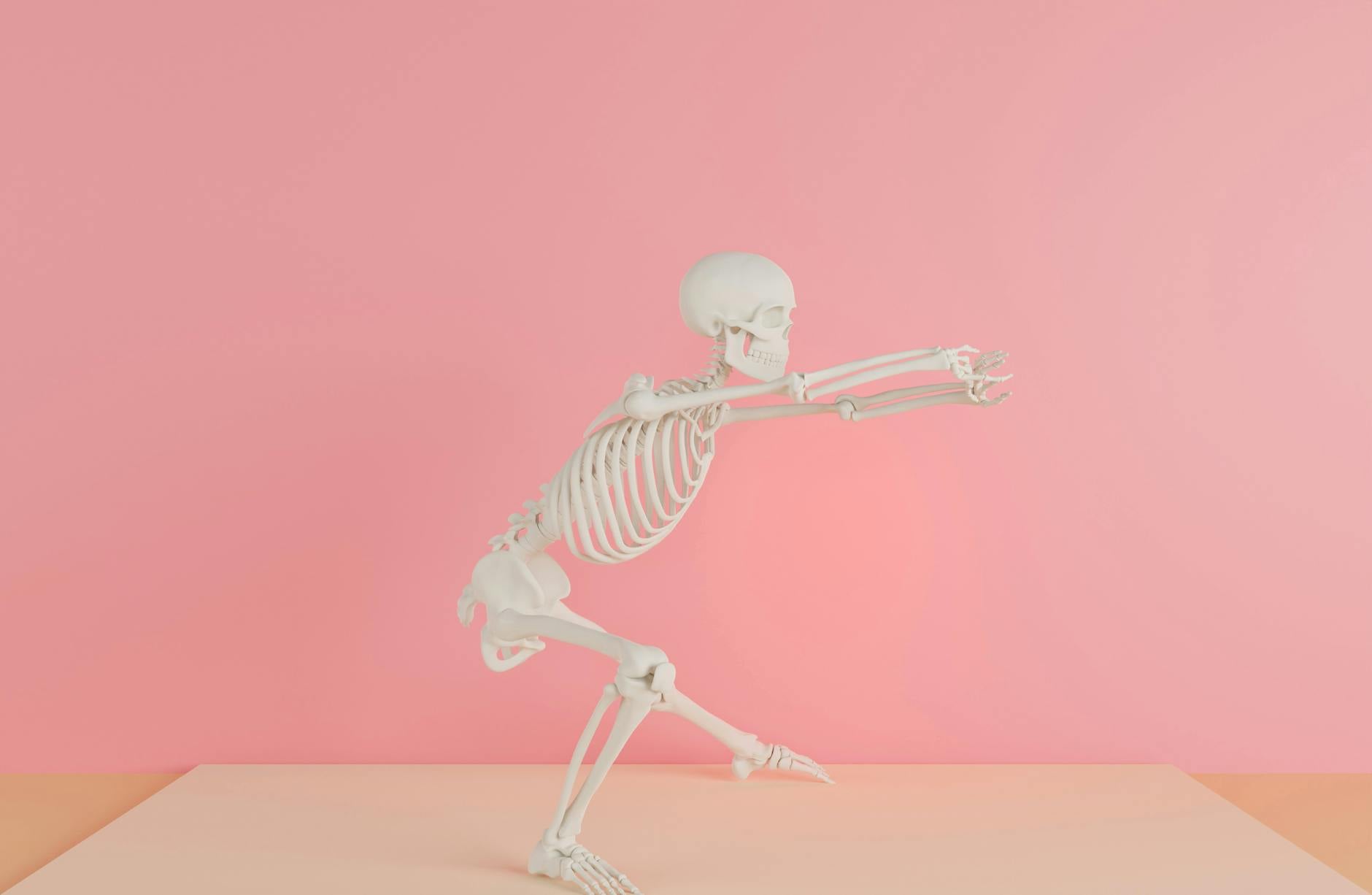
Unlike generic video generators, our AI Skeleton Video Generator maintains a consistent skeleton character identity across multiple scenes. This means you can create multi-shot short videos where your skeleton host looks the same in every clip — essential for building a recognizable character brand on social media.
How to Use AI Skeleton Video Generator
Step 1: Write Your Scene Description
Describe what you want your skeleton character to do. Be specific about the action, setting, camera angle, and mood. For example: "A skeleton sitting in a dentist chair holding its jaw in pain, dramatic lighting, close-up shot."
Step 2: Choose Your Style and Settings
Select the aspect ratio (9:16 for TikTok/Shorts, 16:9 for YouTube, or 1:1 for Instagram). The AI will render your skeleton in clean cinematic 3D with anatomically accurate details.
Step 3: Generate and Download
Click generate and receive your animated skeleton video in seconds. Download it directly or create additional scenes for a multi-shot short video series.
Best Use Cases for AI Skeleton Videos
- Health & Anatomy Education: Explain bone structure, joint mechanics, or common injuries with visual skeleton demonstrations
- Viral TikTok Content: Create trending skeleton character videos with relatable scenarios and dark humor
- YouTube Shorts Series: Build a recurring skeleton host character for educational or entertainment content
- Science Explainers: Show what happens inside the body during exercise, eating, or illness
- Storytelling & "What If" Content: Place skeleton characters in unexpected historical or fictional scenarios
- Halloween & Seasonal Content: Generate themed skeleton videos for holidays and special events
AI Skeleton Video Generator vs Alternatives
| Feature | AIZora | Media.io | RunwayML | Pika Labs |
|---|---|---|---|---|
| Dedicated Skeleton Mode | ✓ | ✓ | ✗ | ✗ |
| Consistent Character Identity | ✓ | ✓ | Limited | ✗ |
| 9:16 Vertical Video | ✓ | ✓ | ✓ | ✓ |
| No Watermark | ✓ | ✗ (Pro only) | ✗ (Pro only) | ✗ |
| Free Credits on Signup | ✓ | ✓ | Limited | Limited |
| One-Click Scene Generation | ✓ | Multi-step | Multi-step | ✗ |
| Educational Scene Templates | ✓ | ✓ | ✗ | ✗ |
Tips for Best Skeleton Video Results
Be Specific About Actions
Instead of "skeleton dancing," try "skeleton doing the robot dance in a neon-lit nightclub, medium shot, smooth camera pan left to right." The more detail you provide, the better your AI skeleton video will look.
Use Cinematic Language
Include terms like "soft ambient lighting," "shallow depth of field," "medium close-up," and "cinematic color grading" to get professional-quality skeleton animations.
Create Multi-Scene Stories
The most viral skeleton videos tell a story across 3-5 scenes. Generate each scene separately with consistent descriptions to maintain your skeleton character's identity throughout the narrative.

Who Is This Tool For?
The AI Skeleton Video Generator is perfect for content creators looking to build viral skeleton character brands, educators who want to make anatomy and health topics visually engaging, social media managers creating trending content, and students working on science presentations. Whether you're building a skeleton TikTok account or creating educational content for your classroom, this tool delivers consistent, high-quality 3D skeleton animations from simple text prompts.
Popular Skeleton Video Themes
- Skeleton reacting to foods (Coke, spicy food, coffee)
- Skeleton experiencing pain (tooth ache, stomach ache, headache)
- Skeleton in historical settings (Ancient Greece, Medieval times)
- Skeleton daily life (working, exercising, commuting)
- Skeleton explaining body functions (digestion, circulation, respiration)
AIZora vs Popular AI Skeleton Video Generator Tools
| Feature | AIZora | Media.io | RunwayML | Pika Labs |
|---|---|---|---|---|
| Dedicated Skeleton Character Mode | ✓ | ✓ | ✗ | ✗ |
| Consistent Character Across Scenes | ✓ | ✓ | Limited | ✗ |
| One-Click Generation (No Multi-Step) | ✓ | ✗ | ✗ | ✗ |
| Free Credits on Signup | ✓ | ✓ | Limited | Limited |
| No Watermark on Free Tier | ✓ | ✗ | ✗ | ✗ |
| Vertical 9:16 Video for TikTok | ✓ | ✓ | ✓ | ✓ |
| Educational Scene Optimization | ✓ | ✓ | ✗ | ✗ |
| 4-Second Clip Duration | ✓ | ✓ | ✓ | ✓ |
What Users Say
"I built a skeleton TikTok account that hit 100K followers in 2 months using AIZora's skeleton video generator. The consistency of the character across videos is what made my audience stick around."
"As a biology teacher, this tool transformed my anatomy lessons. Students are actually excited to learn about the skeletal system now. The AI-generated skeleton videos make complex concepts visually clear."
"We use the skeleton video generator for our health education YouTube channel. The quality is incredible — viewers can't tell it's AI-generated. Production time went from hours to minutes."
Frequently Asked Questions
What is an AI Skeleton Video Generator?
An AI Skeleton Video Generator is a tool that creates animated 3D skeleton character videos from text descriptions. You describe a scene and the AI renders a realistic skeleton performing actions with cinematic quality, perfect for viral social media content and educational videos.
How do I make a skeleton video for TikTok?
Simply describe your skeleton scene in the text prompt (e.g., 'skeleton drinking coffee at a cafe'), select 9:16 aspect ratio for vertical video, and click generate. The AI creates a TikTok-ready skeleton animation in seconds that you can download and post directly.
Can I create multiple scenes with the same skeleton character?
Yes! The AI Skeleton Video Generator maintains consistent character identity across scenes. Generate multiple clips with similar style descriptions, and your skeleton will look the same in each shot — perfect for multi-scene storytelling.
Is this tool free to use?
AIZora provides free credits on signup so you can start generating skeleton videos immediately. Additional credits are available through our affordable plans for creators who need higher volume production.
What types of skeleton videos perform best on social media?
The most viral skeleton videos feature relatable scenarios (skeleton at work, drinking coffee, experiencing pain), educational content (anatomy explainers, health facts), and unexpected storytelling (skeleton in historical events). Dark humor and 'what if' concepts tend to perform exceptionally well.
Can I use AI skeleton videos for educational purposes?
Absolutely. AI skeleton videos are excellent for teaching anatomy, explaining health conditions, demonstrating how bones and joints work, and making science content visually engaging for students of all ages.
What video quality and resolution does the generator produce?
The AI Skeleton Video Generator produces high-quality 3D rendered videos with cinematic lighting, smooth animation, and detailed bone textures. Videos are generated at up to 1024px resolution suitable for all major social media platforms.
How long are the generated skeleton videos?
Each generated clip is approximately 4 seconds long — ideal for combining multiple scenes into a complete short video. You can generate several clips and edit them together for 15-60 second shorts perfect for TikTok and YouTube.
People Also Search For
Ready to try AI Skeleton Video Generator?
Free to use. Sign in with Google and start creating.
Start Creating ↑